
Your family photos, scanned, dated and easy to find.
Fotologue turns boxes of prints into a catalog, with the year, place and story kept on every photo. Bring them in with the Wi‑Fi scanner you already have, a whole glass at a time, at true scanner resolution. No computer, no account and no subscription.
Coming soon to the App Store
From a shoebox to a catalog.
Every print, found and straightened.
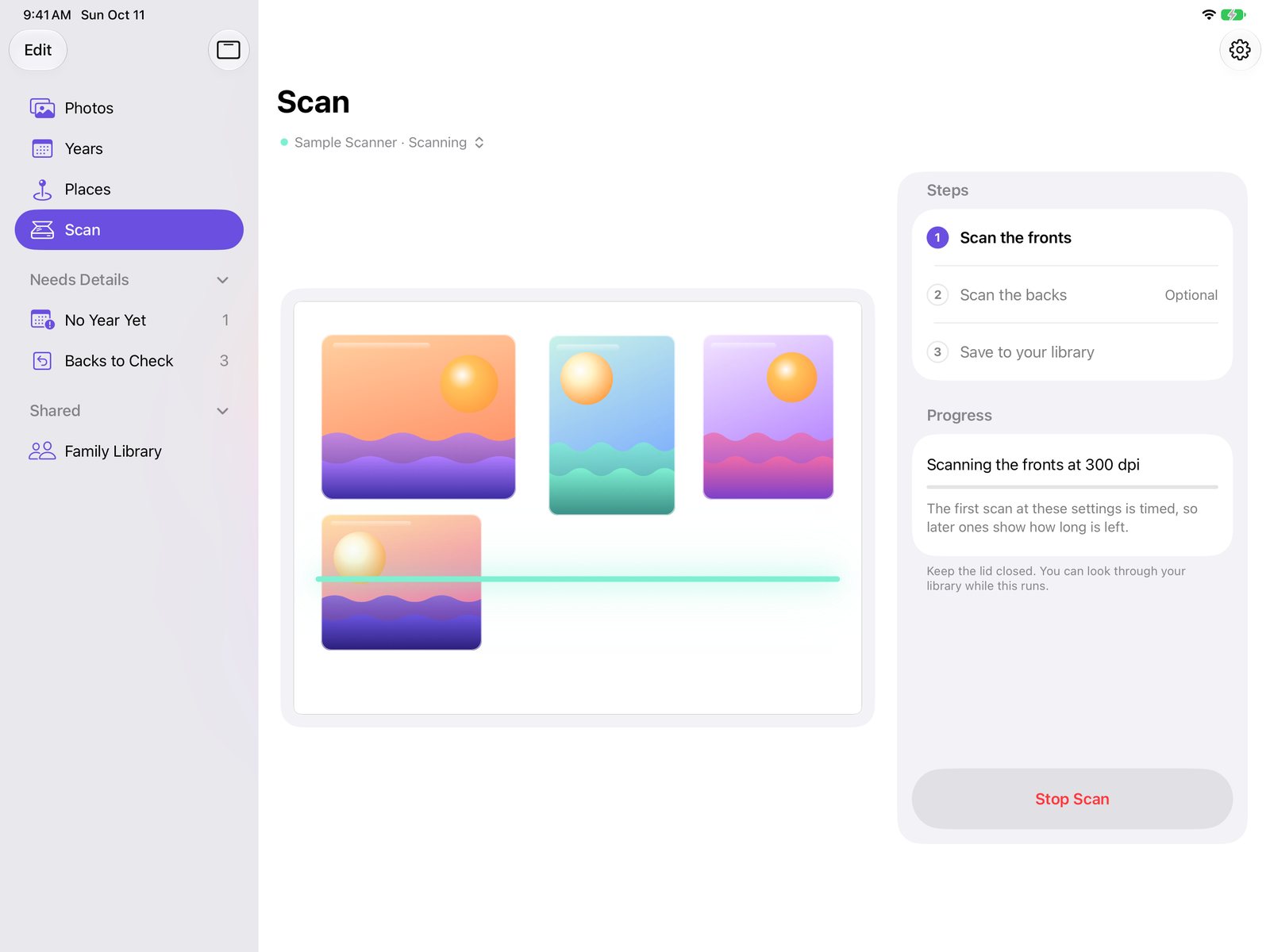
Lay as many prints on your Wi‑Fi scanner as fit and tap Scan. Fotologue finds each one, crops it and squares it up, so one pass becomes a stack of separate photos.
Front and back, kept together.
Turn the prints over where they lie and tap Scan Backs. Each back is matched to its front, the handwriting is read on the iPad, and a year is suggested for you to confirm. Turn a photo over any time to see what was written on it.

Browse by year or by place.
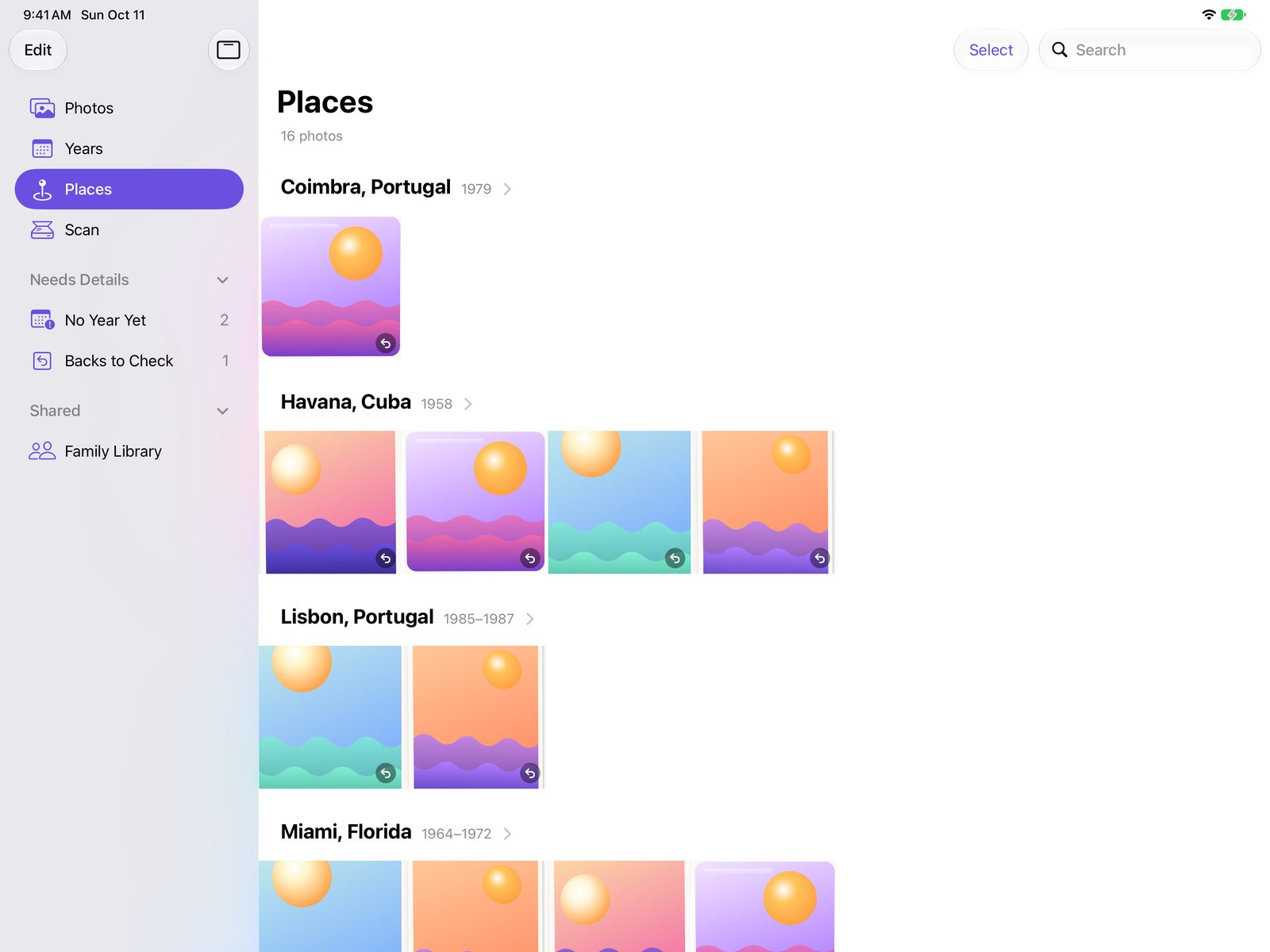
The Library groups your photos by year or by place. Search across years, places, notes and the writing from the backs to find the one you're thinking of.
One family library, on everyone's iPad.
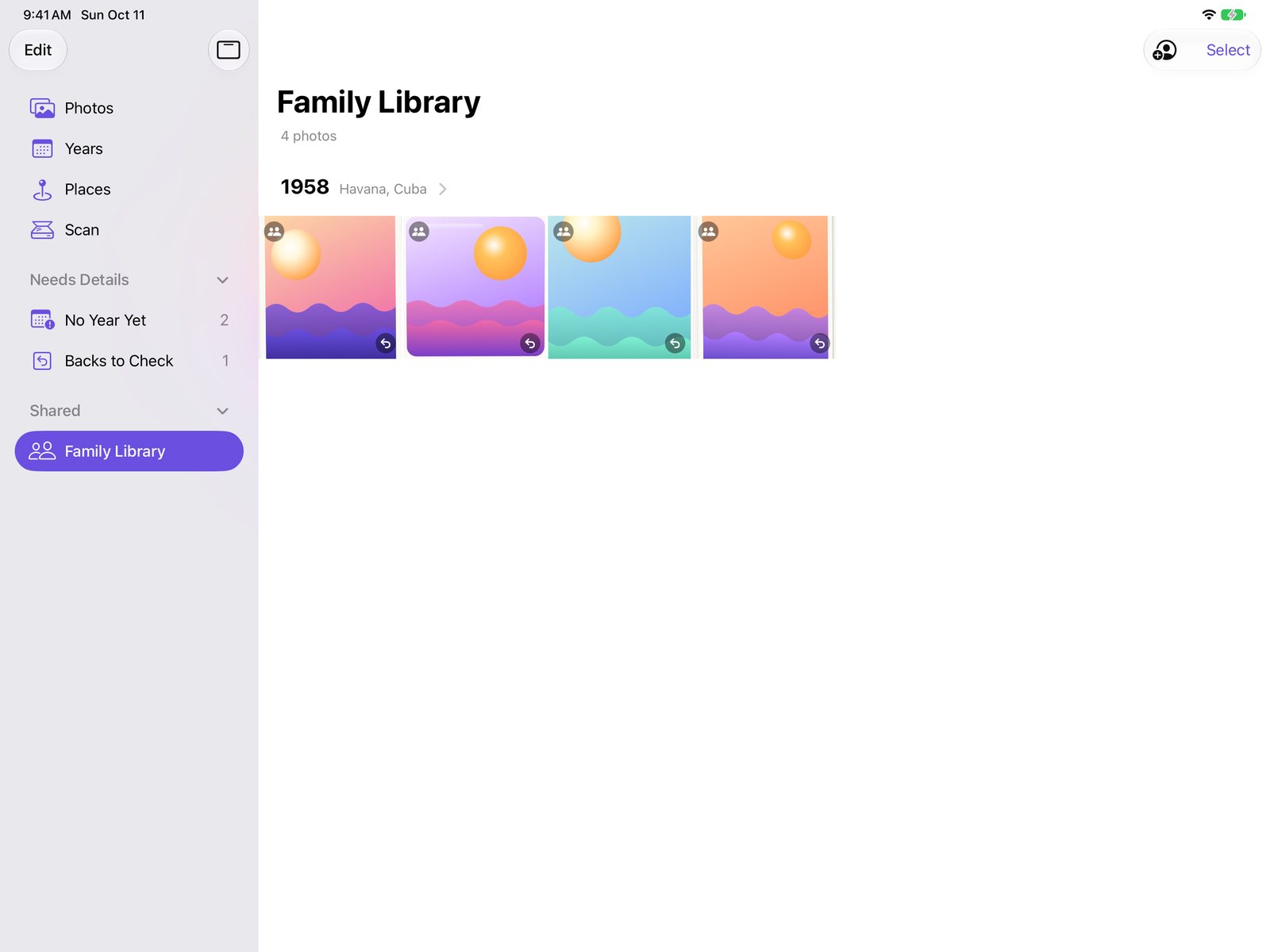
Invite family through iCloud. They see every photo, back and note in their own Fotologue, and can add years and notes for everyone. Each person's Photos library stays their own.
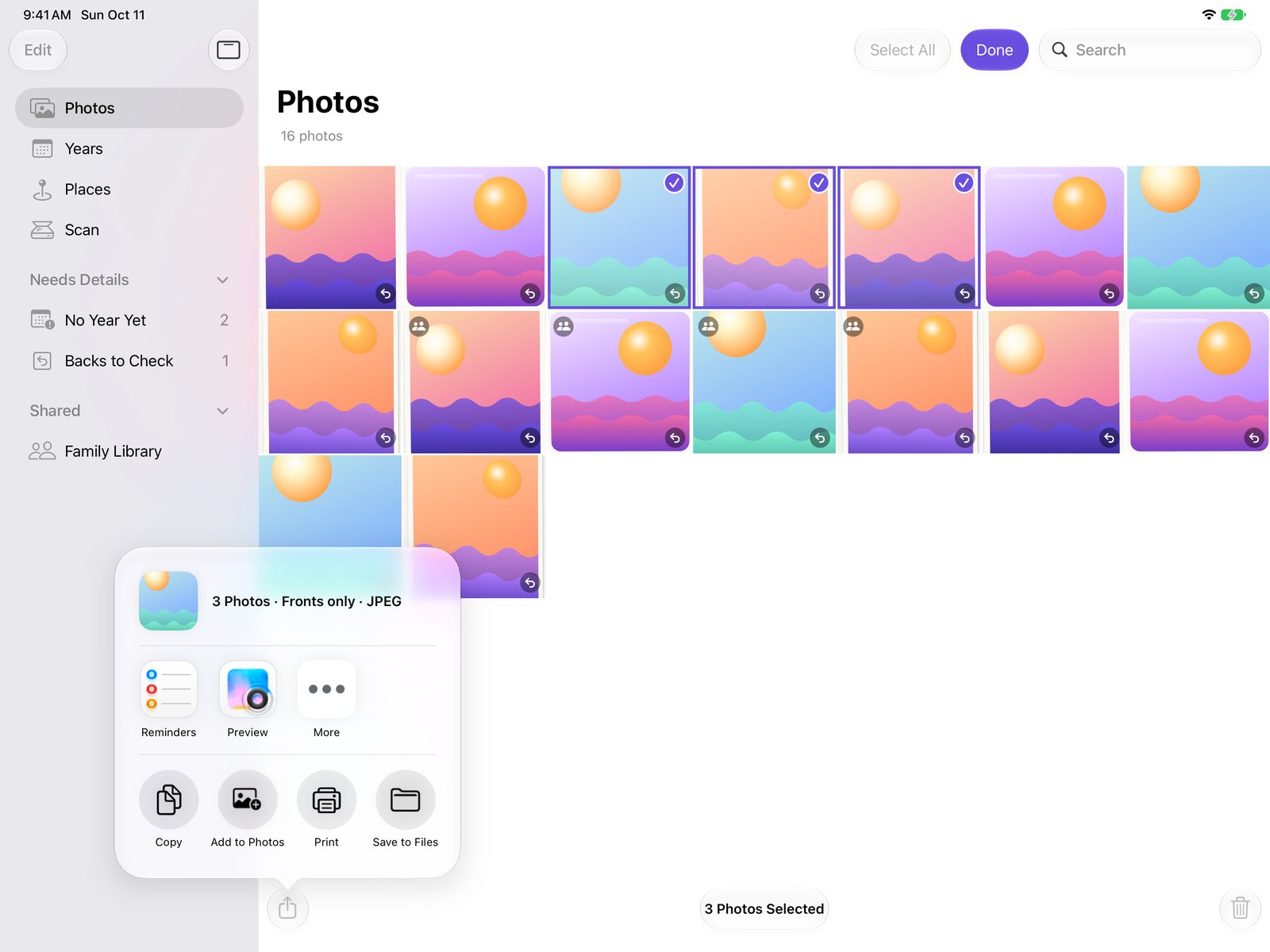
Keep the whole archive. Share the best to Photos.
Fotologue keeps the complete catalog. Apple Photos gets only the pictures you pick, so your everyday library stays yours.
The complete record
- Every front and back, with year, place and notes
- Ordinary image files in your own iCloud Drive, under Fotologue in the Files app
- The details are written inside each file, so your Library opens on any computer
Just the ones you choose
- Select a few and tap Share > Add to Photos, or turn on Add New Scans to Photos
- Each photo lands at its year in your Photos timeline, in a Fotologue album
- Or share by AirDrop, Messages, Mail or Save to Files, fronts only or with their backs
Until now, you had to choose.
Camera apps split your prints and keep their stories, but they take a photo of a photo. Scanner apps capture every detail, but they save the whole glass as one document page. We didn't find an App Store app that does both.
A real flatbed scan
True optical resolution at 300, 600 or 1200 dpi, evenly lit, with no glare. A camera can't match that for an archive.
A full glass, split on the iPad
Splitting a scan of many prints into separate photos used to need desktop software or dedicated hardware. Fotologue does it on the iPad.
The back becomes data
Handwriting is read into the photo's own caption and date. “Lake Tahoe, Aug. ’74” shows up in Apple Photos and stays with the file wherever it goes.
Private by design
Apple's on‑device machine learning finds each photo and reads the handwriting. Your photos, notes and places stay on your devices and in your own iCloud.
Any AirScan scanner
Works with the Epson ET‑2850 and most Wi‑Fi scanners, so you're not tied to one brand's app.
| Fotologue | Camera appsPhotomyne, Pic Scanner, Shoebox, Google PhotoScan | Scanner appsEpson Smart Panel, OpenAirScan, Air Multi Scan | |
|---|---|---|---|
| True scanner resolution | Yes | No, uses the camera | Yes |
| Splits prints into separate photos | Yes | Photomyne, Pic Scanner and Shoebox | No |
| Notes and year on each photo | Yes | Photomyne and Pic Scanner | No |
| Text from the back | Saved in the file | Photomyne attaches an image of the back | No |
| Works with any brand of scanner | Yes | No scanner | AirScan apps yes, Epson's app is Epson only |
| Account or subscription | None | Photomyne and Shoebox are subscriptions, PhotoScan needs a Google account | Free |
Based on App Store listings and the makers' websites, checked October 10, 2026.
Try it free. Buy it once.
Make sure Fotologue works with your scanner before you pay anything. There's no subscription.
Free
- The full catalog: browse, search, add years, places and notes
- Your first 10 scans. Backs never count.
- Sharing and the family library, always
- A Sample Scanner to try it without one
$19.99 once
- Unlimited scanning
- One purchase covers your household with Family Sharing
- $14.99 during the first month after launch
Your photos stay yours.
- ScanningScans travel from the scanner to the iPad over your home Wi‑Fi.
- Finding photosApple's Vision framework detects each print's edges on the iPad itself.
- Reading the backHandwriting is read with Apple's on‑device text recognition.
- SavingYour catalog lives in your own iCloud Drive, and the photos you choose go to your Apple Photos library. There's no account and no server of ours.
- Usage dataFotologue sends anonymous usage counts so we can make it better. Never your photos, notes or places. You can turn this off in Settings.
Read the full Privacy Policy.
Made for archiving, not snapshots.
- You needAn iPad with iPadOS 17 or later, and a Wi‑Fi scanner with AirScan (most made since about 2015) on the same network
- SpeedA flatbed pass takes longer than snapping a photo. You get archive quality in return.
- EditingNone, on purpose. Use any editor you like once your photos are in your library.